Airbnb Welcome & Review Sign with QR: Elevate Your Guest Experience
As a host, you know the little details matter. That moment a guest walks in, sets down their bags, and looks for a sign of care. You want them to feel welcomed, informed, and gently guided. The Airbnb Welcome & Review Sign with QR is more than a piece of paper; it's a strategic touchpoint that blends hospitality with smart business. This printable template is designed to be the first friendly face they see, offering essential info and a seamless way to leave that crucial five-star review.
Beyond a Simple Note: The Anatomy of a Thoughtful Welcome
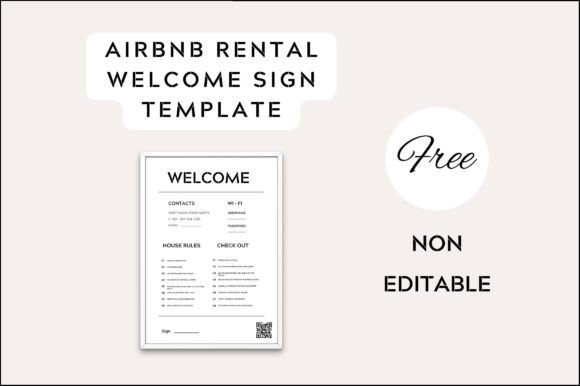
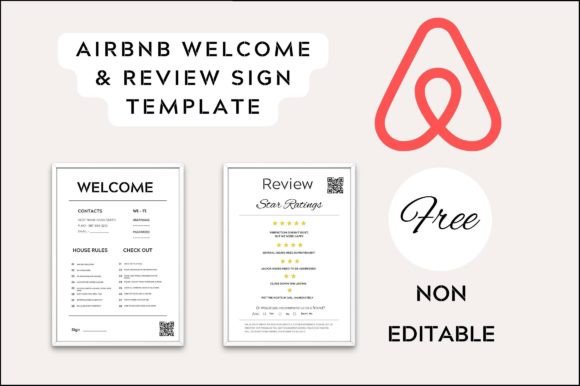
Forget the generic "Welcome" sticky note. A well-designed Airbnb Welcome & Review Sign acts as a mini concierge. Visually, it strikes a balance between warmth and clarity. It often uses a clean, modern typography approach—perhaps a friendly sans-serif for body text paired with a touch of script or a handwritten font for the "Welcome" headline. This combination feels personal yet professional, avoiding the coldness of a corporate document or the messiness of a last-minute printout. The personality is approachable, trustworthy, and efficient. It says, "We've thought of everything for you."
The integrated QR code is the game-changer. It's not just a black-and-white square slapped on. It's typically styled with rounded corners or a subtle color accent to feel integrated into the design. This QR code can link directly to your digital guidebook, local recommendations, Wi-Fi information, or—most importantly—a direct link to the review page. This removes friction. Instead of hoping a guest remembers to review days later, you've placed a simple, scannable call-to-action in their line of sight during their stay.
Where This Template Truly Shines: Practical Applications
The strength of this editable Airbnb Welcome & Review Sign Template lies in its versatility. It’s a foundational design asset that adapts to your brand and space.
- Physical Placement: Print it on quality cardstock and place it on the kitchen counter, entry table, or inside a welcome binder. Its standard A4 size makes it easy to frame for a polished look that complements any rental decor.
- Digital Extension: The same design principles can be adapted for your online presence. Use the template's color palette and font choices to create consistent social media graphics or a simple landing page, reinforcing your brand identity across all touchpoints.
- Operational Efficiency: For property managers or Superhosts with multiple listings, this template is a lifesaver. Customize one core design in Canva, then duplicate and tweak it for each property—changing images, colors, or specific instructions in minutes. This ensures consistency across your portfolio while saving priceless time.
It works exceptionally well for vacation rentals, boutique hotels, and even creative studio spaces that host guests or clients. The design leans into modern typography trends that prioritize readability and visual hierarchy, ensuring guests can quickly scan for the Wi-Fi password or checkout time without squinting.
Making It Your Own: Customization in Canva
The real power is in your hands. Since it's built in Canva—a free, user-friendly tool—you don't need to be a graphic designer to make it look custom. Here’s how to approach the customization to align with your property's vibe:
- Color & Imagery: Swap the background color to match your rental's accent wall or your logo's palette. Replace the placeholder image with a stunning photo of your space's best feature—a sunlit balcony, a cozy reading nook, or a sparkling pool.
- Font Choices: The template likely uses a balanced font pairing. You might keep the clean sans-serif for instructions but change the headline script to something that matches your existing logo or website fonts. This creates a subtle yet powerful thread of consistency.
- Content & Tone: Edit the text to reflect your voice. Are you laid-back and friendly? Formal and luxurious? Adjust the wording for the welcome message and review prompt to feel authentic to you. A simple "We hope you love it here!" can be more effective than a generic "Please leave a review."
This process of customization isn't just about aesthetics; it's about professionalism. A guest seeing a sign that clearly took some thought perceives a host who cares about details. This directly influences their overall experience and, by extension, their likelihood of leaving a positive review. It’s a practical application of design psychology—visual cues build trust and set expectations.
Choosing the Right Design for Your Space
When evaluating the two included templates, consider the personality of your rental. A minimalist, urban loft might suit the template with more geometric elements and a stark sans-serif font. A rustic cabin could benefit from the version with warmer tones and a slightly more organic, handwritten font feel. The goal is for the sign to feel like a natural part of the environment, not an afterthought.
Think about readability above all. The most beautiful design fails if the Wi-Fi password is hard to read. Ensure the font size for critical information is large enough, and there is sufficient contrast between the text and background. Test the QR code printout with your phone camera to guarantee it scans instantly. This practical step is non-negotiable.
Ultimately, this Airbnb Welcome & Review Sign with QR template is a small investment with significant returns. It streamlines communication, enhances the guest experience from minute one, and strategically encourages the reviews that fuel your business's growth. It’s a tangible piece of your brand identity, working silently in the background to build loyalty and recognition. Download it, make it yours, and let it do the talking.